
Operational views
Review work, evidence, exceptions and authorised decisions within a defined operating scope.
Public safety, justice & emergency services
Maintains emergency volunteer credentials, availability and consent records.
11 workspace menus · 5 role profiles · Connected records
Designed for service coordinators and the responsible business owners
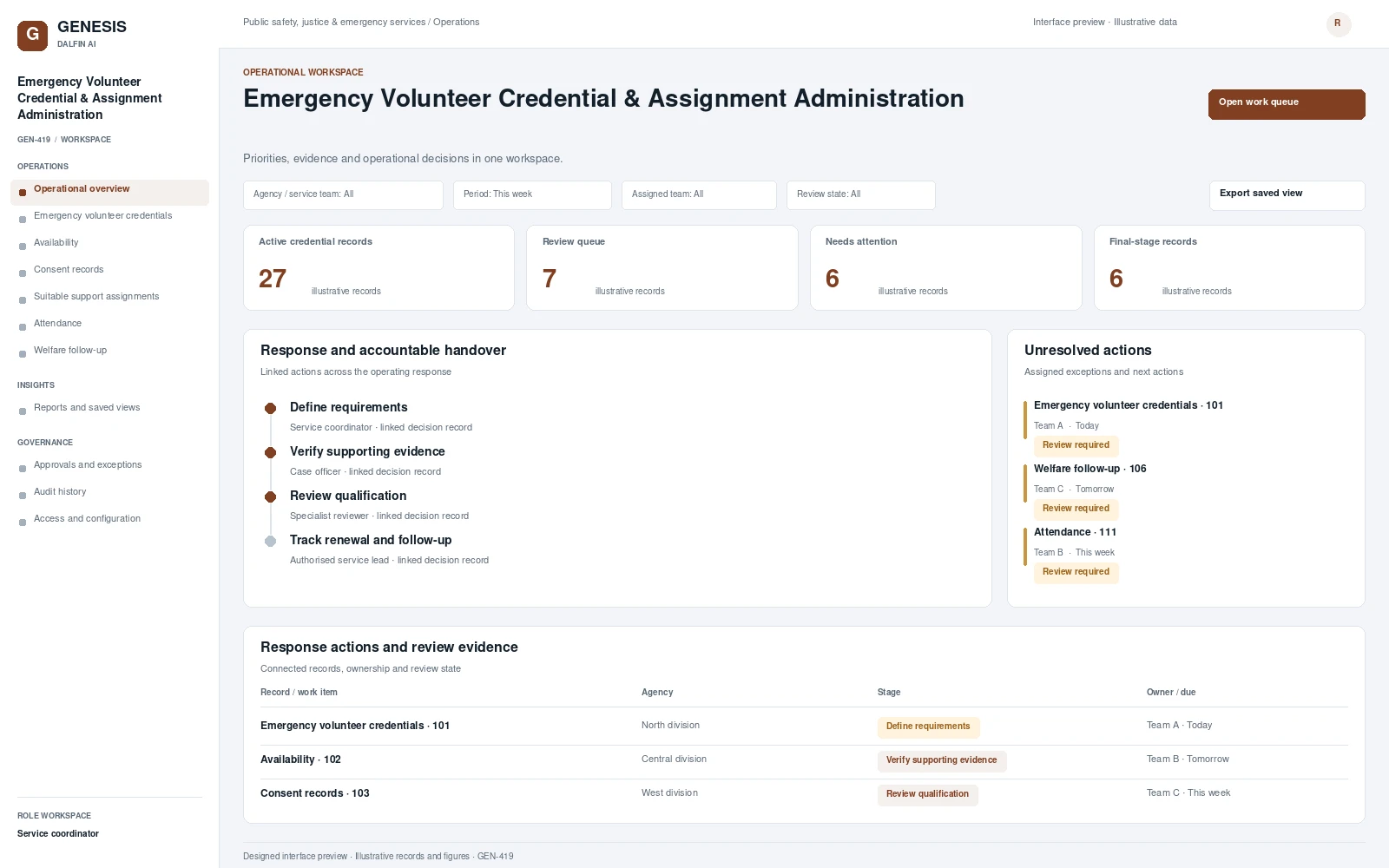
Operational workspace and record review. Select a screen to inspect it in full.
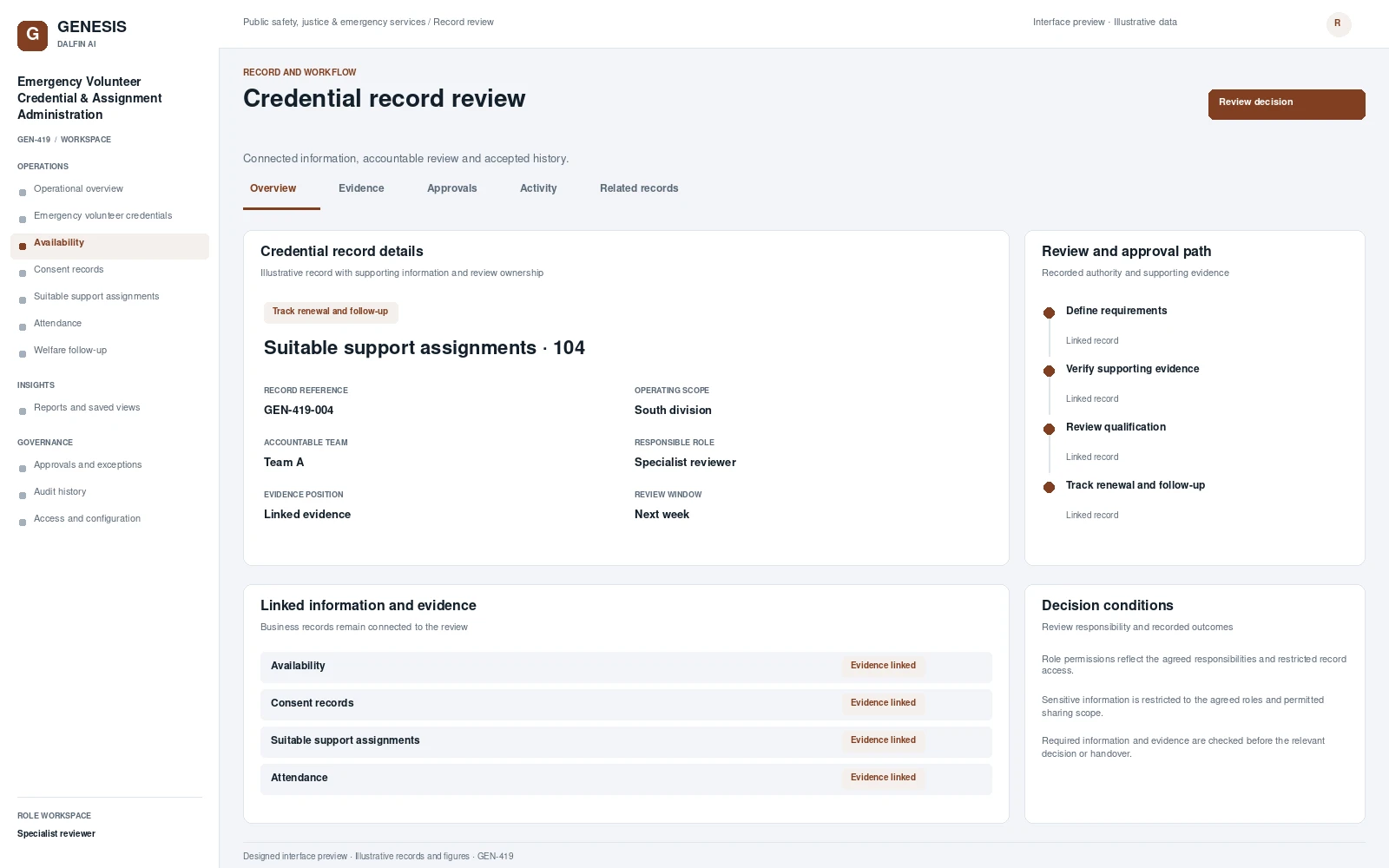
Review work, evidence, exceptions and authorised decisions within a defined operating scope.
Maintains emergency volunteer credentials, availability and consent records. Coordinates suitable support assignments through authorised managers, verifies attendance and tracks welfare follow-up, with visibility of expiring qualifications and outstanding obligations across volunteer participants.
From intake to authorised completion, with evidence at each decision.
Establish the scope of emergency volunteer credentials, capture the required records and assign the accountable team.
Coordinate availability and consent records with linked evidence and visible outstanding actions.
Review the relevant conditions and exceptions. Record the authorised outcome and its supporting evidence.
Confirm the resulting records and handovers. Track remaining obligations, later changes and follow-up actions.
Permissions are configured and tested for the agreed responsibilities.
Interface scope, data mapping and testing are agreed for each engagement.
Authorised users can review emergency volunteer credentials, supporting records and assigned actions through mobile and tablet access. The relevant tasks and permissions are agreed for the deployment.
Access approved workflows through the Dalfin mobile app. Device tasks and permissions are confirmed for the deployment.
Core workflows and approval rules are defined with your business owners. Operational AI can be assessed separately against a specific business outcome and review requirements.
AI extensions are scoped around the required data, business outcome and review controls.
Connect requirements, roles, records, workflows and interfaces through the agreed Genesis engineering process.
Review dependency impact and validation requirements. Context Memory supports governed changes and accepted application revisions.
Agree customer cloud or on-premises requirements, device access, implementation acceptance and ongoing engineering support.
An example operating scenario
Start with emergency volunteer credentials and follow the record through the ‘Verify supporting evidence’ stage. Introduce a missing item or operating exception, record the authorised resolution and inspect the final handover, evidence and history.
Review a representative credential record, its workflow stages, accountable roles, an exception and the resulting operational report. Bring the business process and existing system requirements that matter to your organisation.
The operating scope covers your records, role permissions, review authority, business rules and integration boundaries. These requirements are agreed with the responsible business owners.
Connection design defines interfaces, data ownership, mapping, authentication and exception handling. The agreed implementation includes validation against the selected systems and workflows.
The agreed engineering approach covers review of change impact, bounded implementation, validation and accepted revisions. Discuss the relevant Genesis Context Memory and support requirements during solution scoping.
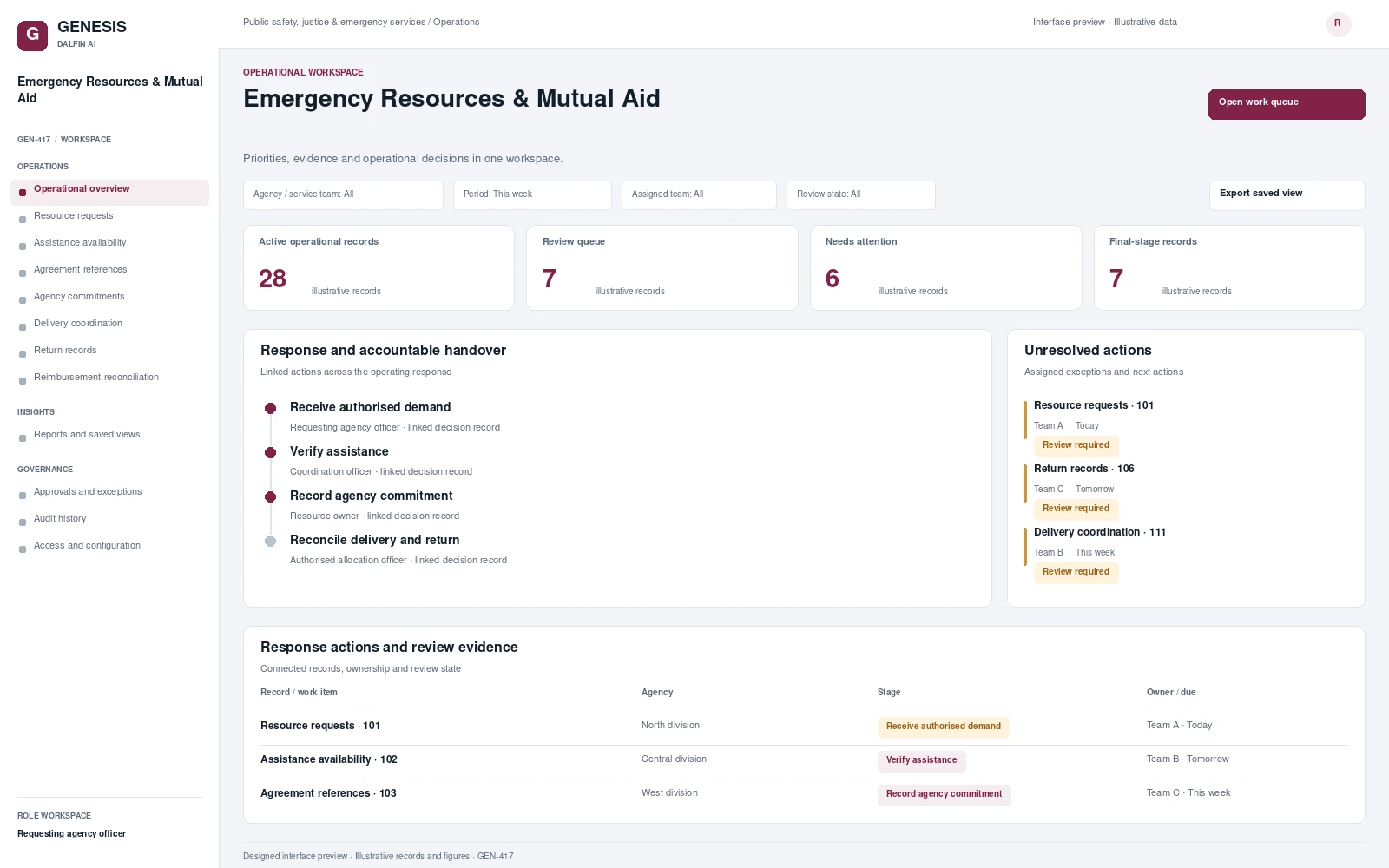 Interface preview
Administer authorised assistance requests, available resources, agency commitments, delivery, return and reimbursement evidence.
Explore system →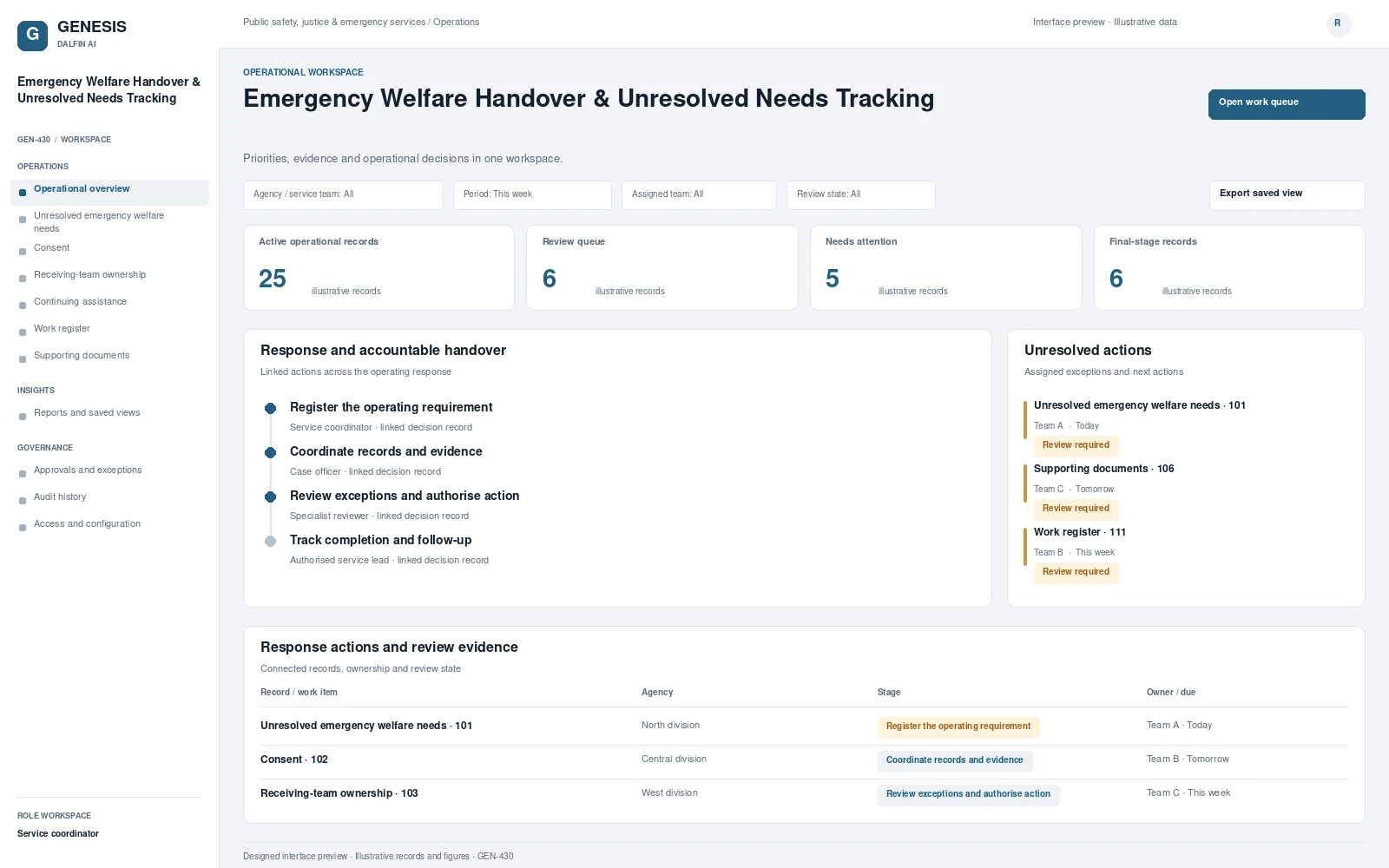 Interface preview
Coordinates unresolved emergency welfare needs across support organisations.
Explore system →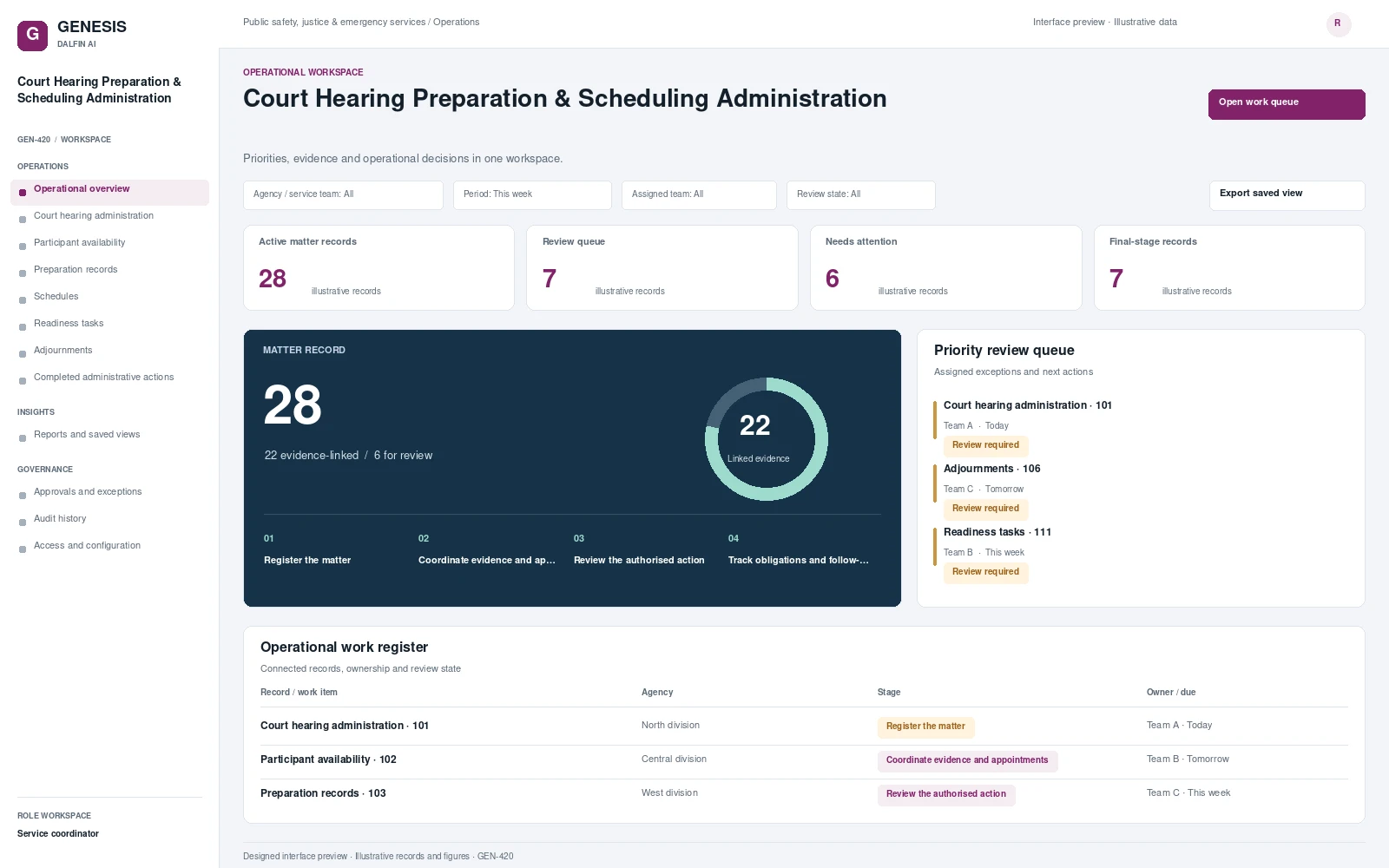 Interface preview
Coordinates court hearing administration, participant availability and required preparation records.
Explore system →