Insurance

Commercial Underwriting Submission & Referral Management

Coordinates commercial insurance submissions, exposure evidence and underwriting information checks.

12 workspace menus · 5 role profiles · Connected records

Designed for insurance operations coordinators and the responsible business owners
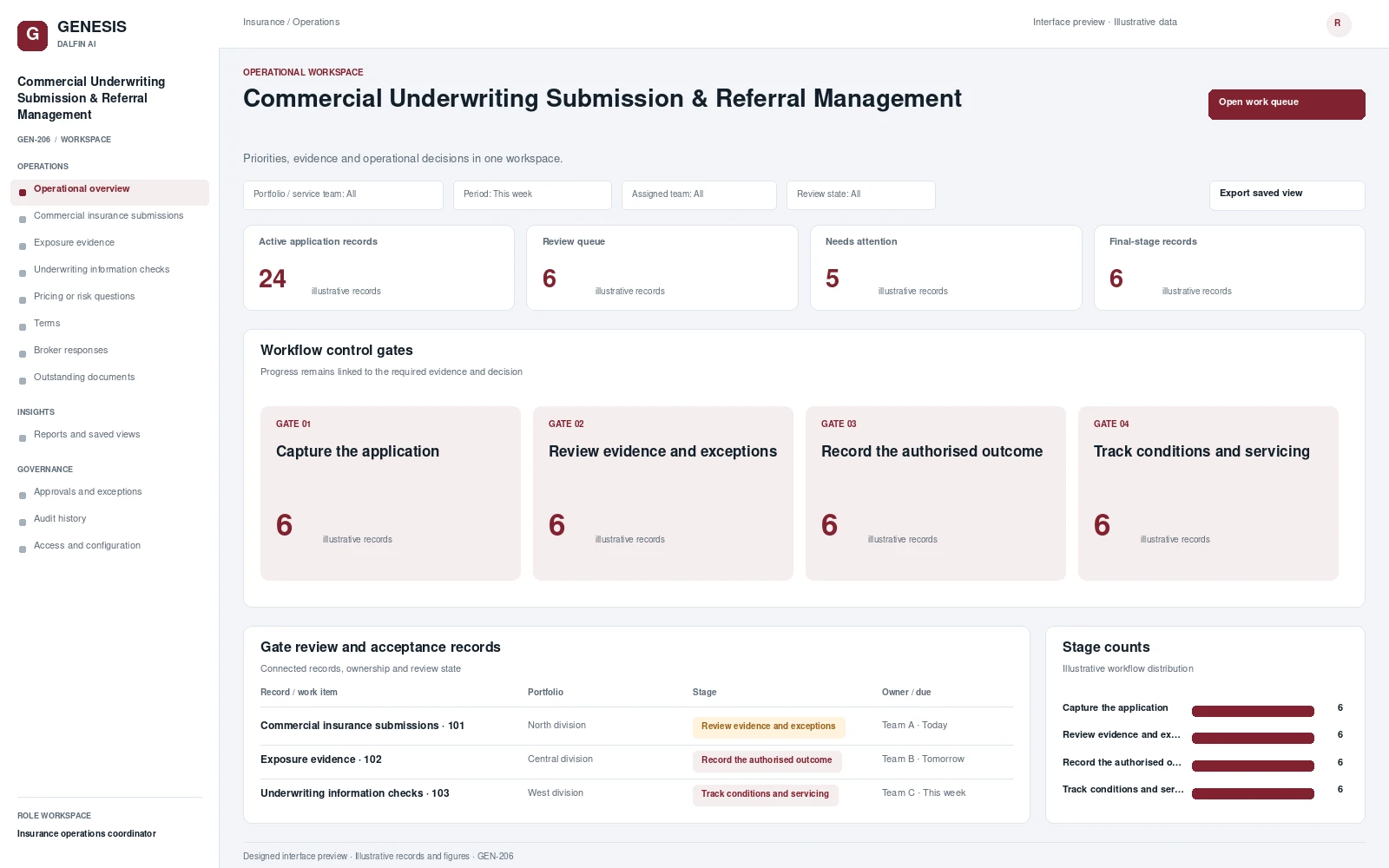
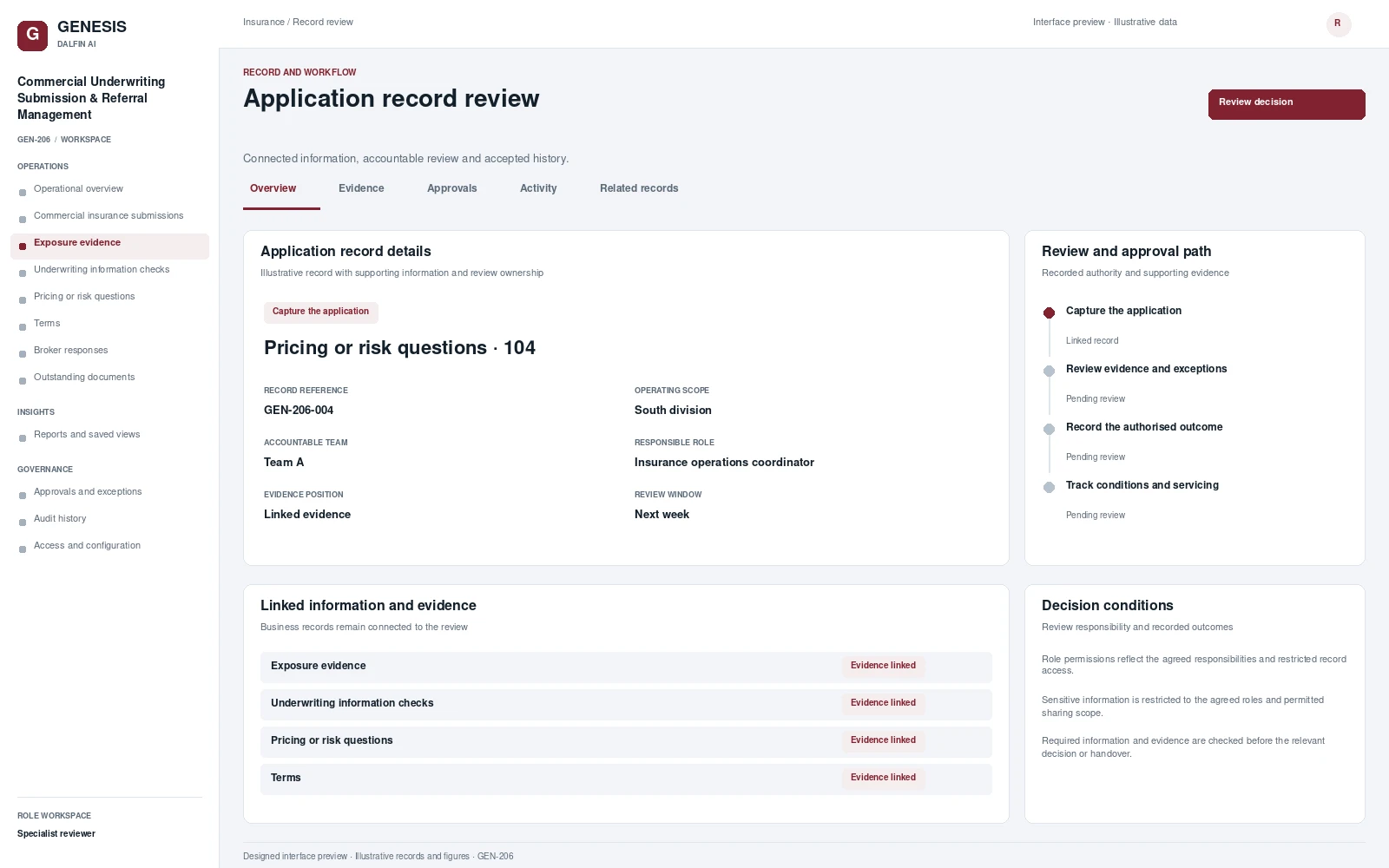
Commercial Underwriting Submission & Referral Management workspace interface preview; illustrative records and figures.
Commercial Underwriting Submission & Referral Management — operational workspaceInterface preview · Illustrative dataView full interface →

Explore the system interface.

Operational workspace and record review. Select a screen to inspect it in full.
Operational dashboards and work queues.

Operational views

Review work, evidence, exceptions and authorised decisions within a defined operating scope.

Portfolio / service teamPeriodAssigned teamReview state

Dashboard measures

  • Active application records
    Count of all records in the selected workspace.
  • Review queue
    Records at the third stage of the business workflow.
  • Needs attention
    Records with an assigned review requirement.
  • Final-stage records
    Records in the fourth business workflow stage.

Business workflow and operating scope

Coordinates commercial insurance submissions, exposure evidence and underwriting information checks. Routes pricing or risk questions to specialists, records authorised terms and broker responses, and tracks outstanding documents with a traceable history of review decisions.

Operational visibility

  • Workload and progress by portfolio / service team
  • Outstanding reviews and assigned actions
  • Evidence completeness and exception history
  • Accepted outcomes and follow-up obligations

Operations

Operational overview

Review the work position and priority actions.

Commercial insurance submissions

Coordinate commercial insurance submissions with assigned responsibilities, linked records and review history.

Exposure evidence

Coordinate exposure evidence with assigned responsibilities, linked records and review history.

Underwriting information checks

Coordinate underwriting information checks with assigned responsibilities, linked records and review history.

Pricing or risk questions

Coordinate pricing or risk questions with assigned responsibilities, linked records and review history.

Terms

Coordinate terms with assigned responsibilities, linked records and review history.

Broker responses

Coordinate broker responses with assigned responsibilities, linked records and review history.

Outstanding documents

Coordinate outstanding documents with assigned responsibilities, linked records and review history.

Insights

Reports and saved views

Review the reporting scope and export agreed operational views.

Governance

Approvals and exceptions

Review delegated decisions, exceptions and recorded conditions.

Audit history

Trace accepted changes, decisions and accountable actions.

Access and configuration

Manage the agreed role permissions and configurable operating rules.

The end-to-end business journey.

From intake to authorised completion, with evidence at each decision.

01

Capture the application

Establish the scope of commercial insurance submissions, capture the required records and assign the accountable team.

02

Review evidence and exceptions

Coordinate exposure evidence and underwriting information checks with linked evidence and visible outstanding actions.

03

Record the authorised outcome

Review the relevant conditions and exceptions. Record the authorised outcome and its supporting evidence.

04

Track conditions and servicing

Confirm the resulting records and handovers. Track remaining obligations, later changes and follow-up actions.

Governance and control

  • Role permissions reflect the agreed responsibilities and restricted record access.
  • Sensitive information is restricted to the agreed roles and permitted sharing scope.
  • Required information and evidence are checked before the relevant decision or handover.
  • Exceptions have a named owner, recorded reason and an authorised resolution.
  • Approved changes retain their previous values, accountable decisions and linked evidence.
  • Integration mappings, business rules and acceptance criteria are reviewed with the customer.

Accountable roles

Insurance operations coordinator
Case handler
Specialist reviewer
Authorised decision maker
Platform administrator

Permissions are configured and tested for the agreed responsibilities.

Data, interfaces and operating requirements.

Core records

Application recordCommercial insurance submissionsExposure evidenceUnderwriting information checksPricing or risk questionsTermsDecisionSupporting evidenceActivity history

Systems and interfaces

  • Policy, claims and financial records
  • Approved broker, repair or service-network interfaces
  • Identity and role-based access services
  • Approved document and communication services

Interface scope, data mapping and testing are agreed for each engagement.

Implementation requirements
Confirm the operating boundaries for commercial insurance submissions, responsible roles, review authority, record retention, interface mappings and acceptance scenarios.

Mobile and tablet access

Authorised users can review commercial insurance submissions, supporting records and assigned actions through mobile and tablet access. The relevant tasks and permissions are agreed for the deployment.

Access approved workflows through the Dalfin mobile app. Device tasks and permissions are confirmed for the deployment.

AI extensions

Core workflows and approval rules are defined with your business owners. Operational AI can be assessed separately against a specific business outcome and review requirements.

AI extensions are scoped around the required data, business outcome and review controls.

Engineered with Genesis.

Structured application engineering

Connect requirements, roles, records, workflows and interfaces through the agreed Genesis engineering process.

Controlled changes

Review dependency impact and validation requirements. Context Memory supports governed changes and accepted application revisions.

Deployment and support

Agree customer cloud or on-premises requirements, device access, implementation acceptance and ongoing engineering support.

An example operating scenario

See the process, its exception and the evidence.

Start with commercial insurance submissions and follow the record through the ‘Review evidence and exceptions’ stage. Introduce a missing item or operating exception, record the authorised resolution and inspect the final handover, evidence and history.

What to review

  • A saved end-to-end transaction
  • An exception and its authorised resolution
  • Different operator, approver and reviewer permissions
  • Final records, history and the relevant report

Questions before implementation.

What can we review in a tailored demonstration?

Review a representative application record, its workflow stages, accountable roles, an exception and the resulting operational report. Bring the business process and existing system requirements that matter to your organisation.

How is the solution adapted to our organisation?

The operating scope covers your records, role permissions, review authority, business rules and integration boundaries. These requirements are agreed with the responsible business owners.

How does the solution connect with existing systems?

Connection design defines interfaces, data ownership, mapping, authentication and exception handling. The agreed implementation includes validation against the selected systems and workflows.

How are subsequent changes controlled?

The agreed engineering approach covers review of change impact, bounded implementation, validation and accepted revisions. Discuss the relevant Genesis Context Memory and support requirements during solution scoping.